

Inspections should feel seamless.
But when you’re dealing with complex files, tight timelines, and high-stakes content, even small inefficiencies add up fast.
That’s why the Verify April 2026 release is focused on one thing: removing friction from every step of the inspection workflow.
Here’s what’s new.
Built-In Pantone® Spot Check
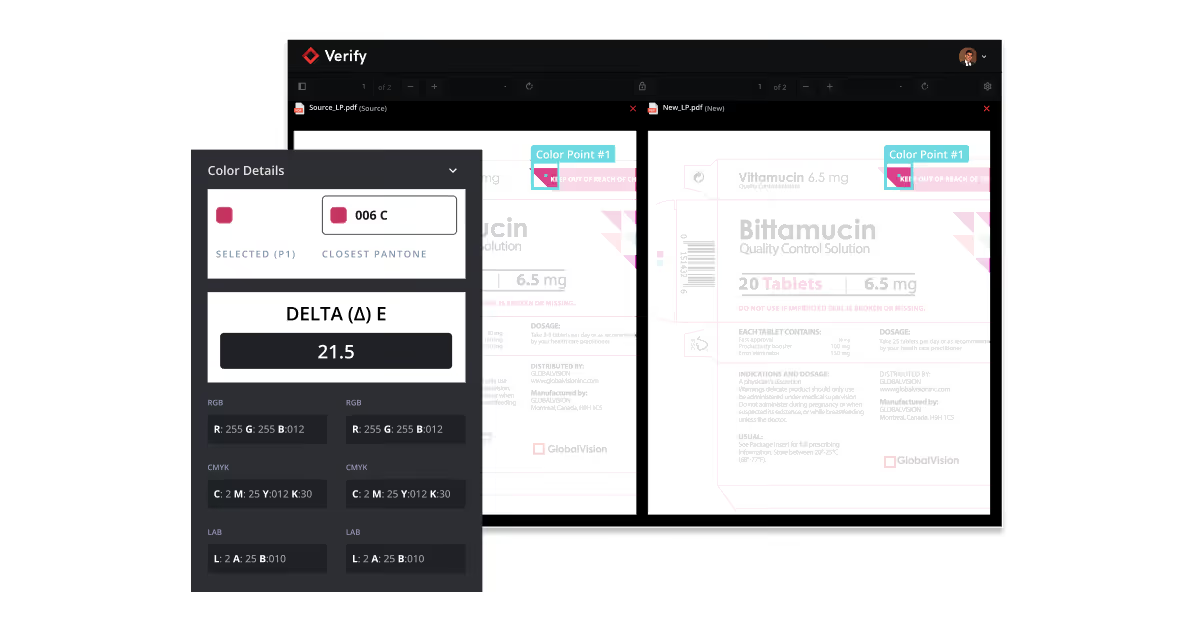
Validate color values without leaving Verify.
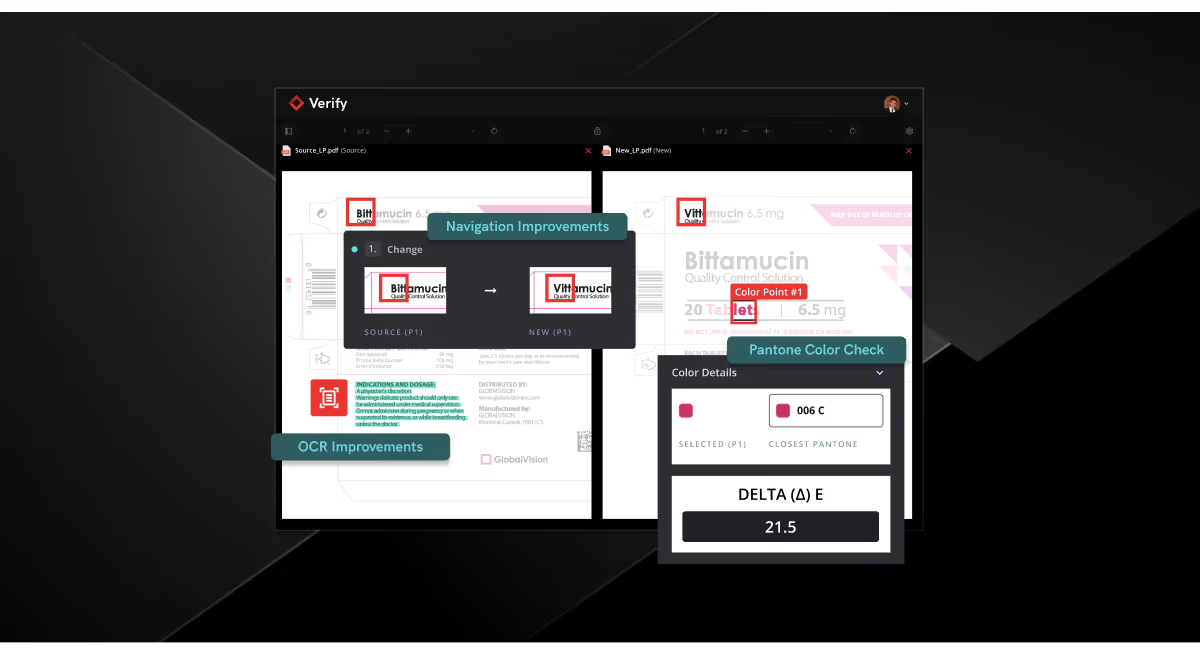
You can now select specific points on your artwork and instantly view associated Pantone® values, no external tools required.
Why You’ll Love It:
- Quickly verify color accuracy in artwork
- Eliminate manual cross-referencing
- Reduce risk of color inconsistencies in labeling
Navigation by Match
Move through complex files without losing your place.
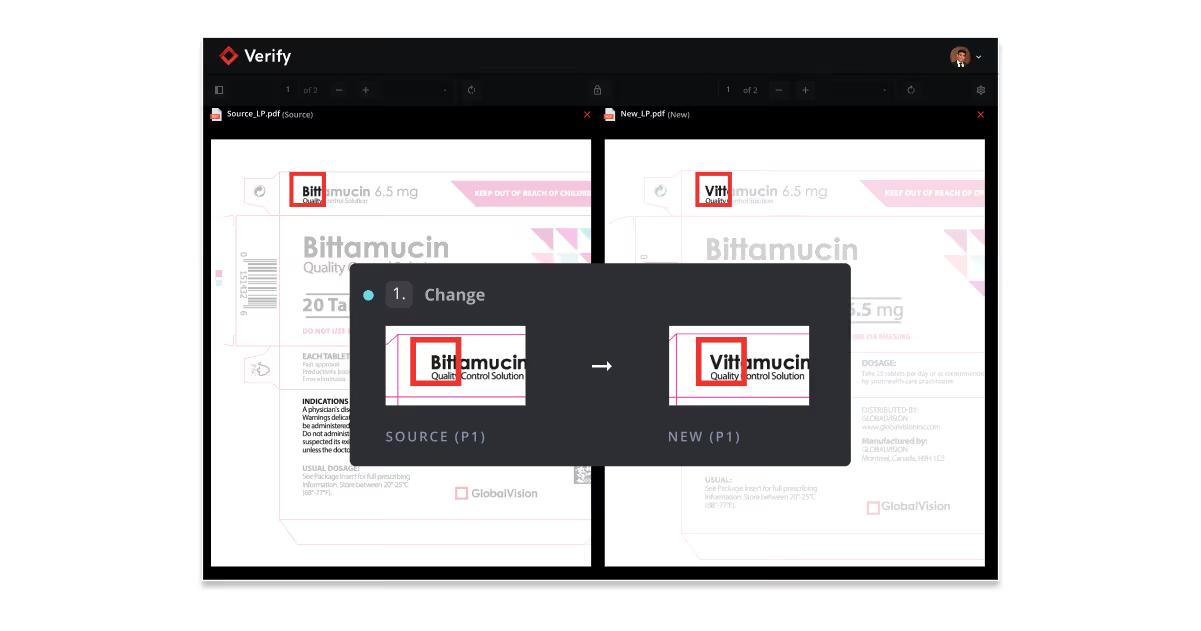
Navigation by Match lets you click on any text results in one file and instantly jump to its corresponding difference in the other, making it easier to review content across different layouts, formats, languages and scripts.
Why You’ll Love It:
- Instantly locate matching content across files
- Simplify reviews for foreign-language scripts or reformatted documents
- Spend less time searching and more time validating
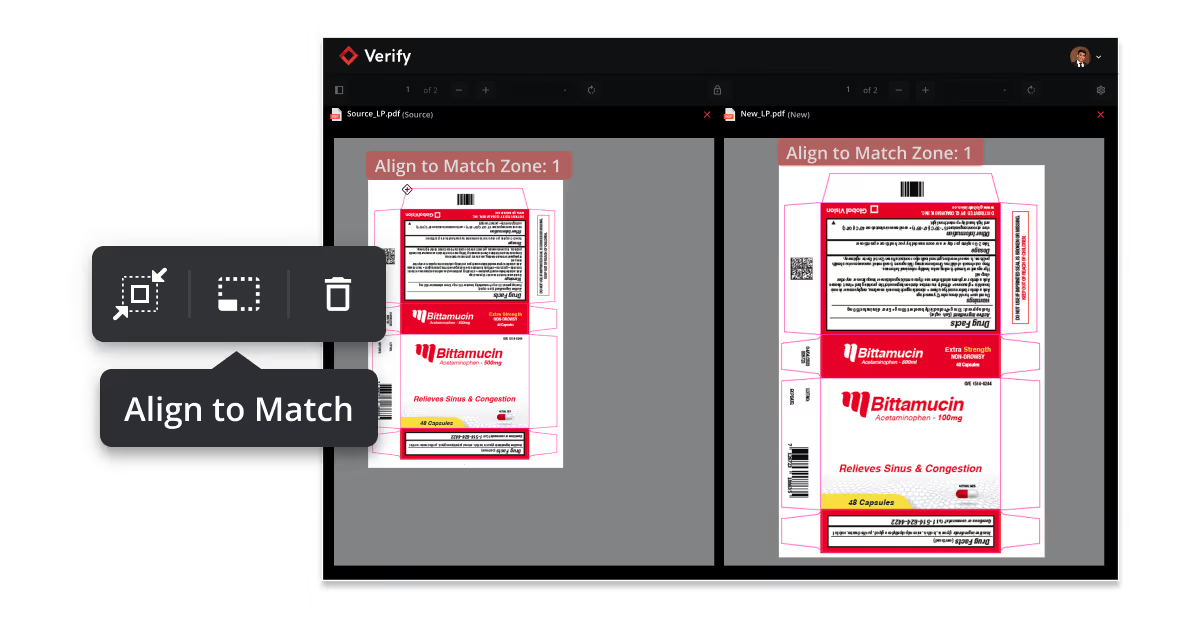
Align to Match Tool
Stay in control when automatic alignment isn’t enough.
Ideal for prepress workflows, like comparing a customer-approved PDF to a print-ready file, Align to Match lets you place custom alignment anchors. Once set, the system uses those anchors to precisely align and overlay your files, even when size or scale differs, ensuring accurate, reliable graphics comparison.
Why You’ll Love It:
- Overcome limitations in automatic alignment
- Better manage files of different sizes
- Continue inspections without restarting workflows
- Maintain accuracy in complex comparison scenarios
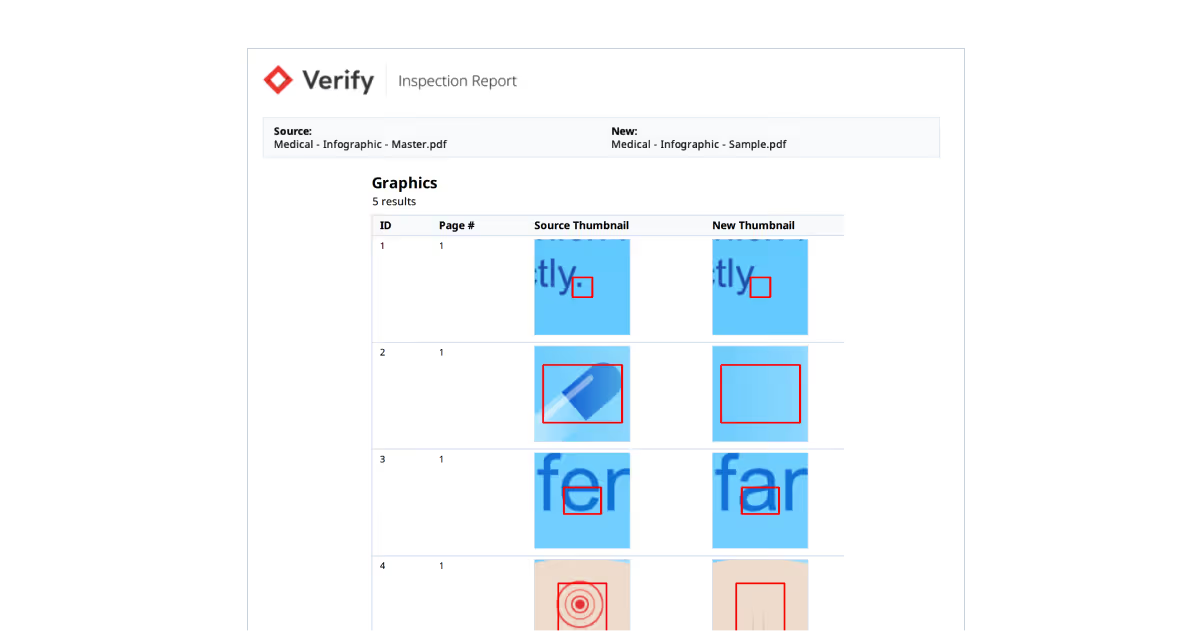
Difference Thumbnails in Graphics Reports
See what changed without digging through results.
Difference Thumbnails bring visual previews directly into your graphics reports, helping you quickly understand detected changes, especially in graphics-heavy files.
Why You’ll Love It:
- Get instant visual context for every detected graphics difference
- Reduce time spent interpreting reports
- Improve clarity for reviewers and stakeholders
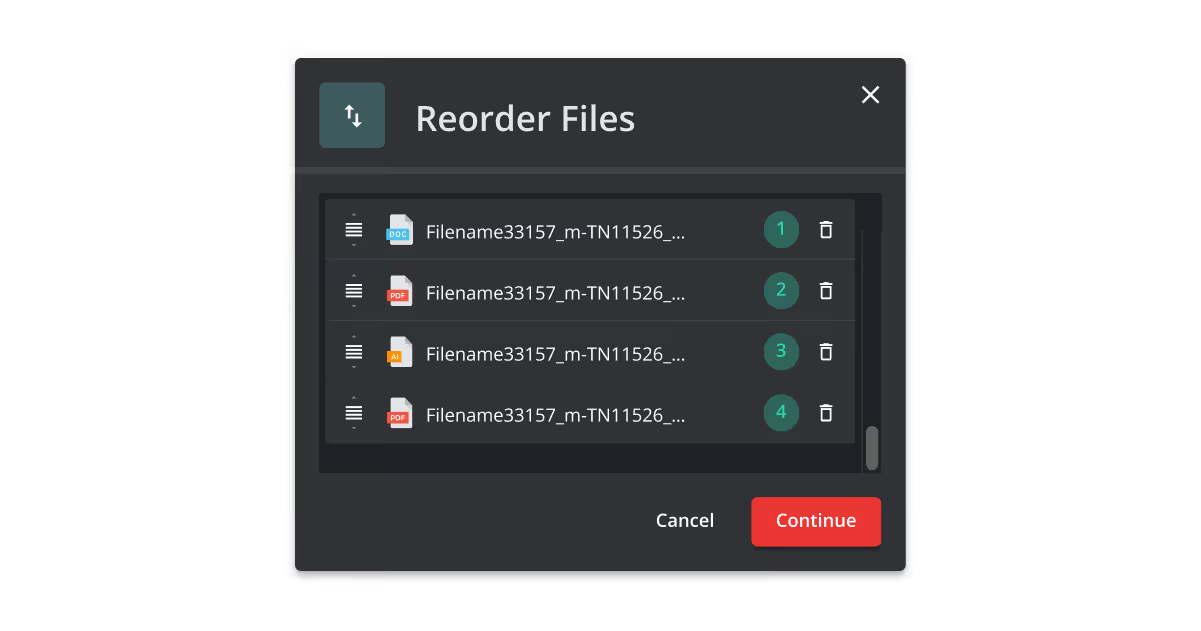
New Multi-file Upload Window
Upload files with way less friction.
You can now upload files from different folders and directories all in a single workflow. No more switching back and forth through files or individual uploads.
Why You’ll Love It:
- Combine files from multiple locations easily
- Streamline inspection preparation
- Reduce friction at the start of every inspection
OCR Performance Improvements
More accurate extractions, better results.
We’ve enhanced OCR performance to improve text extraction quality and overall inspection accuracy across multiple workflows.
Why You’ll Love It:
- Process inspections faster
- Improve accuracy of extracted text, especially for smaller fonts
- Get more reliable results across inspection types
Embedded Image Updates
Handle edge cases without extra work.
We’ve improved how embedded images are processed and made it easier to manage cases where image pairs aren’t detected the first time.
Why You’ll Love It:
- Work through unmatched image scenarios more easily
- Add missing image references directly within results
- Avoid creating unnecessary markups
Workflow & Usability Enhancements
Small changes that make a big difference.
This release also includes improvements designed to clean up workflows and reduce unnecessary friction.
Improvements You’ll Love:
- Remove spelling suggestions to avoid unwanted recommendations
- Merge multiple inspections into a single report
- Added data deletion capabilities for admins
Ready to Be Totally in Control?
This release is all about removing complexity from your workflows.
From smarter navigation to visual reporting, manual alignment controls, and built-in color validation, this release brings meaningful improvements across text and graphics inspections, so your workflows stay efficient from start to finish.
More precision. More flexibility. Total control.
With this release, Verify delivers faster inspections, clearer insights, and more flexible ways to work. Whether you're reviewing complex artwork, multilingual labels, or high-volume packaging files, you can move quicker, reduce risk, and stay in control at every step.
Ready to see what total control feels like? Experience the upgrade.