

Every second counts during an inspection.
When you’re reviewing complex files, managing high-volume workflows, or working against tight production deadlines, waiting for results, sorting through findings, and reconciling reports can quickly slow you down.
That’s why the Verify 2026 August release is focused on one thing: making every inspection faster, clearer, and easier to act on.
From faster OCR document processing to more intuitive results navigation, this release helps you spend less time waiting and searching, and more time reviewing with confidence.
Here’s what’s new.
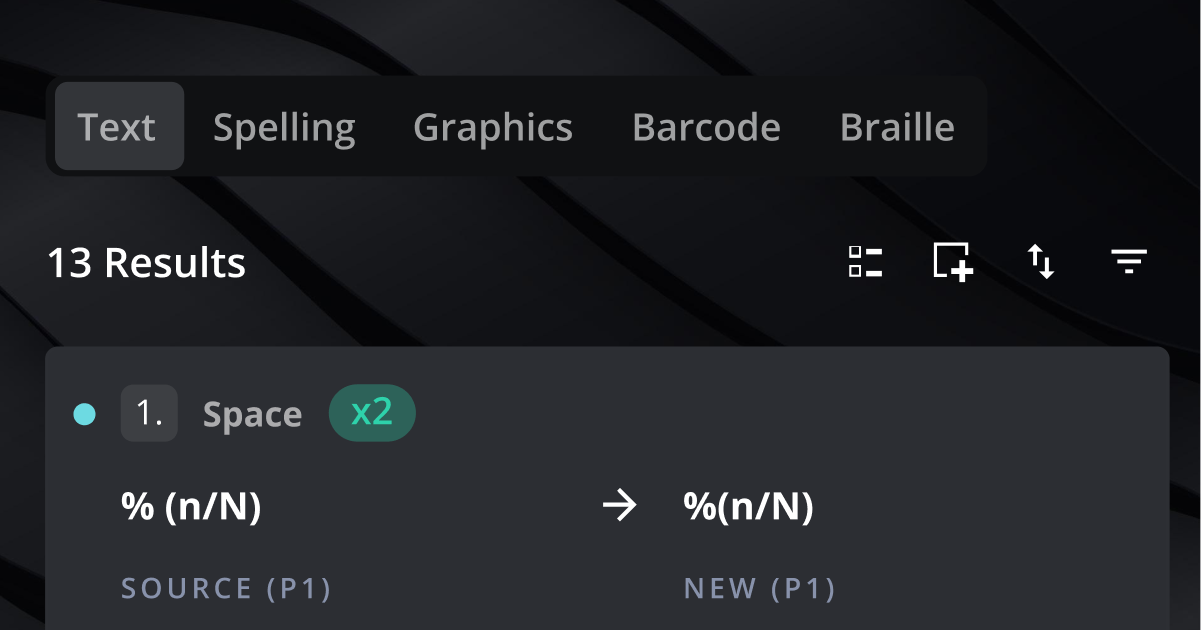
A Clearer Results Experience
Put the findings that matter most front and centre.
The Results experience is getting a cleaner, more inspection-focused approach.
The “All” tab is going away, while inspection-specific tabs like Text, Spelling, and Graphics remain. This makes it easier to focus on individual inspection results instead of sorting through an inflated list of findings.
We’re also separating “My Inspections” and “Shared” inspections on the home screen, giving you more control over which inspections appear in your personal view.
Why You’ll Love It:
- Focus on the inspection results you actually need
- Reduce unnecessary noise in your results list
- Find your own inspections more easily
- Keep shared inspections from cluttering your home view
- Navigate Verify more intuitively
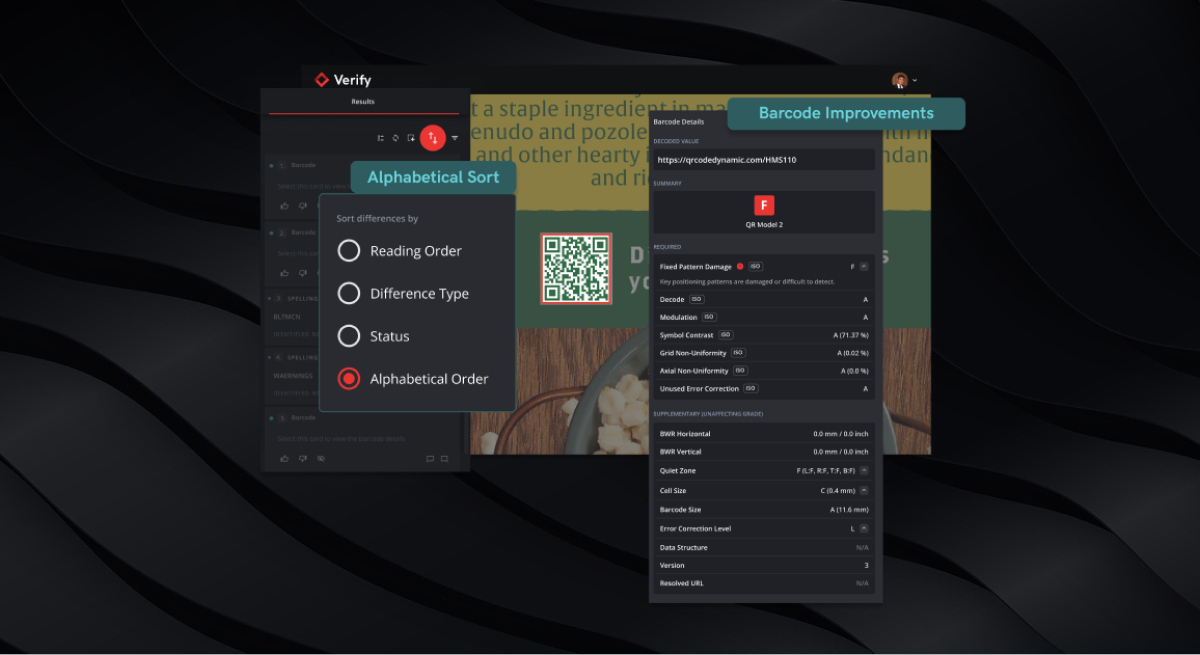
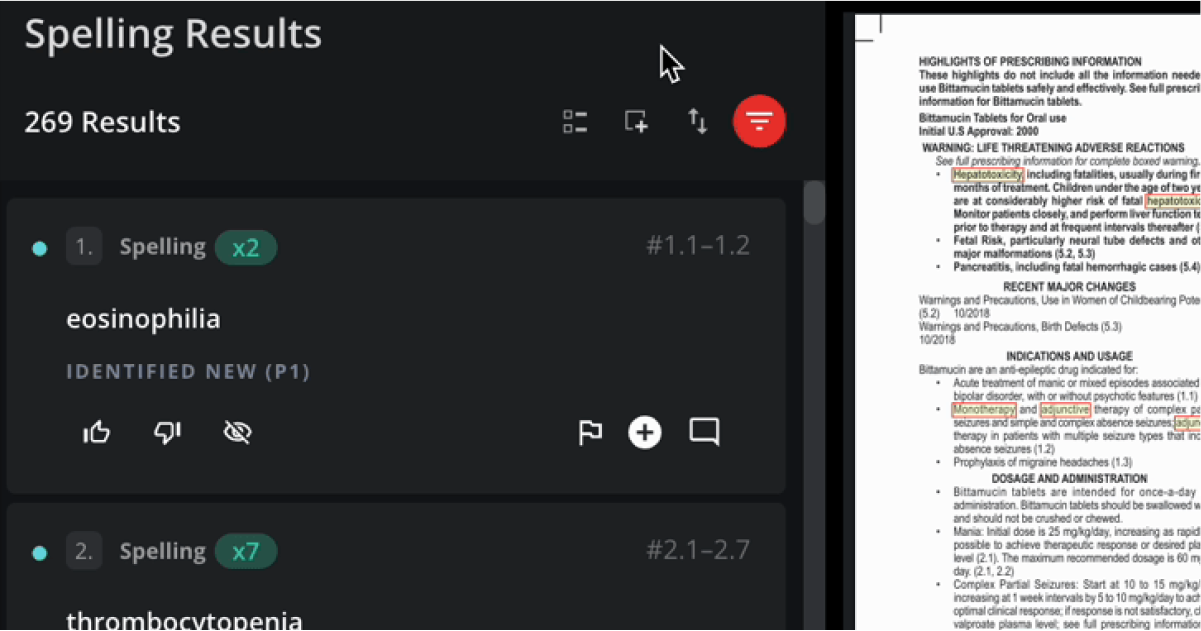
Find Spelling Results Faster
Search your spelling results alphabetically.
A long list of spelling result sets can make it difficult to find a specific word quickly.
With the new Alphabetical Order sorting option, you can now organize spelling results from A–Z, making it easier to locate and review specific terms.
Why You’ll Love It:
- Quickly locate specific words
- Organize large result sets more efficiently
- Spend less time scanning through results
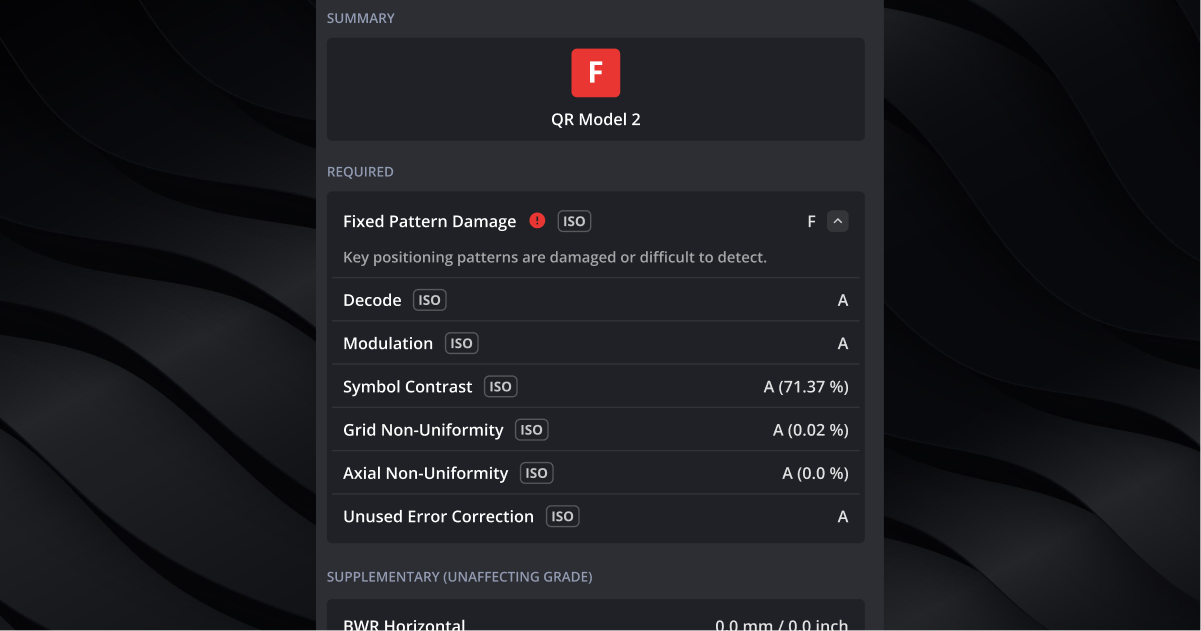
Clearer Barcode Results
Understand what’s affecting your barcode grade, and why.
Barcode results are getting more transparent.
Verify will now show the exact bar width reduction (BWR) value designed in the artwork, along with greater visibility into the parameters affecting the overall grade.
Additional metadata also provides more context into why a barcode is failing and how its quality can be improved.
Why You’ll Love It:
- See the exact designed BWR value
- Understand which parameters are impacting the barcode grade
- Quickly identify critical issues
- Get more context around failed results
- Make barcode reviews easier to interpret
More Control for Validation & Compliance
Find inspection data from the very beginning of your Verify experience.
With this release, Tenant Admins can download:
- A full CSV export of their Audit Log history
- A CSV export of their Custom Dictionaries
This gives teams greater control over their records and makes it easier to retrieve, retain and transfer important inspection data.
Why You’ll Love It:
- Maintain internal records of Audit Log history
- Export Custom Dictionaries for reuse
- Support transitions between Verify tracks
- Keep greater control over your inspection data
Smarter, More Automated File Prep
Let Verify handle more of the prep work.
For Verify API users, our smart file prep technology brings improved automation to layer preparation.
With this improvement, Verify automatically detects layers and separations with 90–95% accuracy, helping reduce manual intervention and speed up reviews.
Why You’ll Love It:
- Improve automated layer preparation
- Reduce manual adjustments
- Get faster, more consistent reviews
- Spend less time preparing files before inspection
Faster OCR Document Processing
Get through inspections faster, even with complex files.
Large files and complex inspections can take longer to process, especially when multiple tasks are running at once.
With smarter processing, Verify now handles documents more efficiently. Users can expect a 40–60% overall reduction in processing time, with particularly strong improvements for image-heavy files.
Why You’ll Love It:
- Reduce overall document processing time
- Improve performance on large and image-intensive PDFs
- Speed up graphics inspections, OCR, and report generation
- Get more consistent performance across different document sizes and configurations
Ready to Review Faster?
The Verify 2026 August release is built around a simple idea: your inspections shouldn’t slow you down.
From a better results navigation experience to faster OCR document processing, Verify is removing friction from the moments that matter.
Less waiting. Less searching. Less confusion.
More time to review, make decisions, and move work forward.
Verify is now faster, by design. Experience the upgrade.