

Verify Compare: The Quality Checkpoint of WebCenter Enterprise
Launch Verify Compare directly from your WebCenter Enterprise workflow for AI-driven quality checks at your fingertips. Eliminate errors, keep your files secure and slash review times from hours to seconds.







Built for High-Stakes Enterprise Workflows

Launching new products across multiple markets requires speed and precision. Our integration transforms quality control into a non-negotiable, automated part of your WebCenter Enterprise ecosystem, helping your teams move faster, without sacrificing accuracy or compliance.

Uncompromising Accuracy Across Your Artwork
Crush critical errors without the noise. Verify Compare automatically detects text, graphic, and barcode discrepancies while silencing false alarms. Quality is now the standard, not an afterthought.

Secure Your Packaging Artwork
Stop exporting sensitive files and send files directly to Verify Compare’s inspection engine without ever leaving WebCenter. Keep your IP under lock and key within the WebCenter Enterprise ecosystem. Total compliance, zero leakage, total control.

Efficiency Gains Across Your Workflow
Eliminate review bottlenecks with automation at every milestone. By embedding Verify Compare inspections natively, we guarantee the right check on the right file at the exact right moment.
The Quality Layer: Native Quality Automation at Your Fingertips
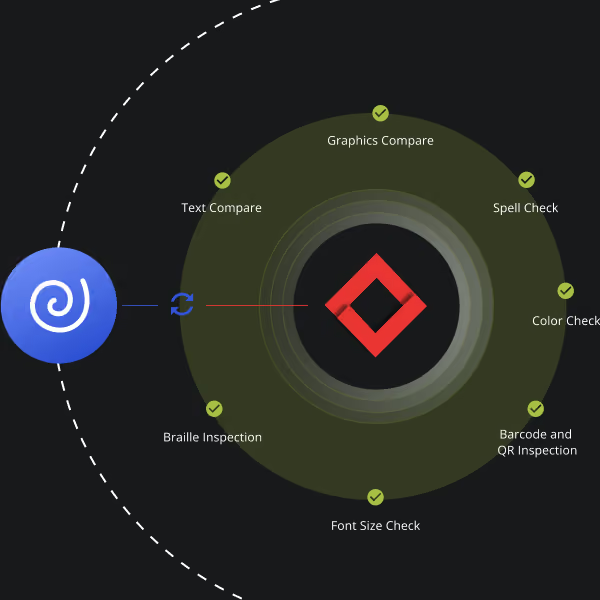
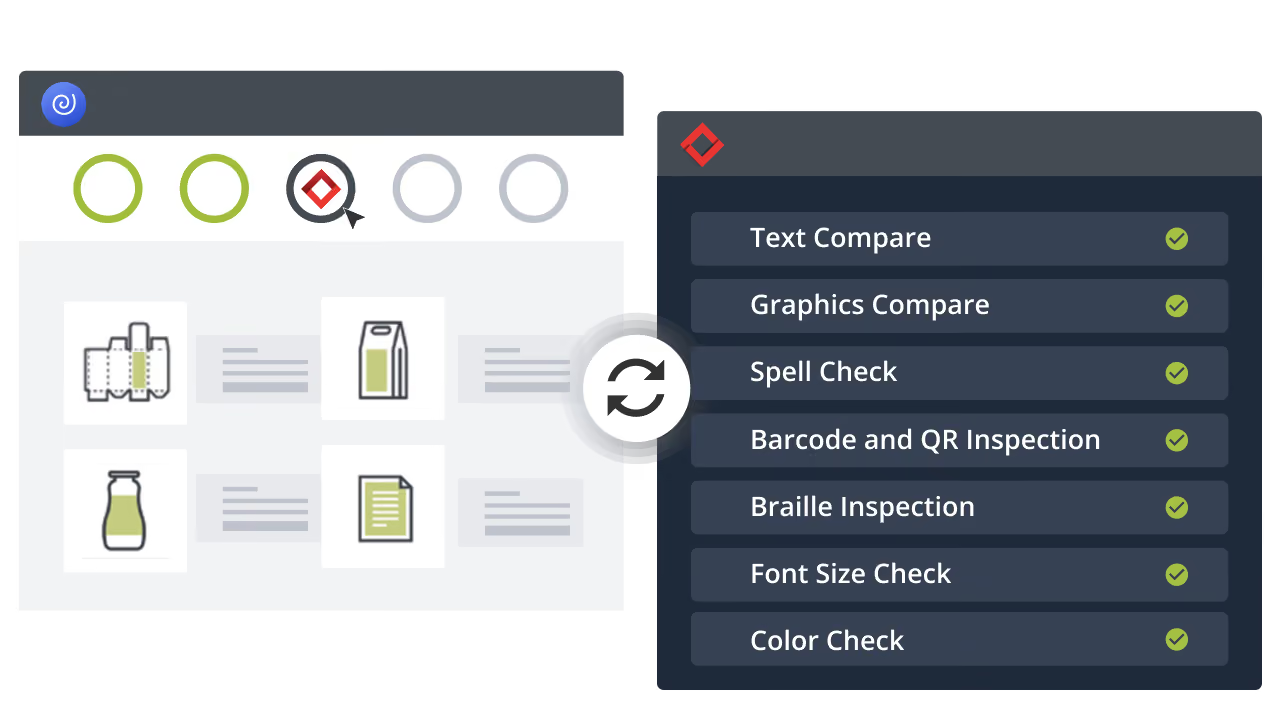
Automated inspections are launched directly within WebCenter Enterprise. As Esko’s dedicated quality layer, we ensure your files move securely between WebCenter and our inspection engine, keeping everything contained within one unified ecosystem. Text, graphic, barcode, and braille errors are flagged, while error-free files keep moving along your workflow.
Experience the New Standard of Quality Control in WebCenter Enterprise
FAQs
What is Esko WebCenter Enterprise?
WebCenter Enterprise is the industry’s powerhouse for managing packaging artwork, content approval, and complex workflows. It ensures total version control and regulatory compliance for global brands, now supercharged by our native Quality Layer, Verify Compare.
How does this integration elevate my artwork workflow?
The WebCenter Enterprise and Verify Compare integration turns quality control into a high-speed, native capability. You can trigger precise, automated inspections without ever leaving the WebCenter interface. Results and annotated reports are routed back into your system automatically—zero manual handling, zero friction.
Can it handle all my packaging file types?
Yes. We support the full spectrum of files types including:
- DOC/DOCX
- PPT/PPTX
- XLS/XLSX
- XML (new XML upload support, refer to section below for more details) - including SPL format support
- PNG
- JPG
- JPEG
- TIFF files
- ZIP files (only containing SPL documents)
- CSV
- AI (in compatibility mode)
- HTML
- Figma exported PDFs
How does it catch errors before they hit production?
By detecting even the most microscopic discrepancies—copy shifts, incorrect fonts, or barcode and braille failures—before they become costly recalls. We turn quality assurance from a manual chore into a systematic step.
Does Verify Compare reduce review time in an Esko packaging workflow?
Absolutely. By replacing manual proofreading with automated checks, Verify Compare speeds up packaging workflows, shortens review cycles, and reduces the number of revision rounds needed per SKU. Users report 90% faster review cycles on average.
Is this integration built for automated artwork management at scale?
Yes, it is built for scale by automating inspections and centralizing results within WebCenter—eliminating bottlenecks and creating a unified, audit-ready framework that scales across all your product lines.
Is my data secure during inspection?
Yes. We operate in a closed-loop. Your IP remains within your secure, enterprise-grade Esko ecosystem from start to finish. No third-party exposure.