Accelerate Your Quality Checks From Regulatory to the Print Floor

Detect errors in text, graphics, braille, spelling, barcodes, and color, across digital files and final proofs, in just seconds.
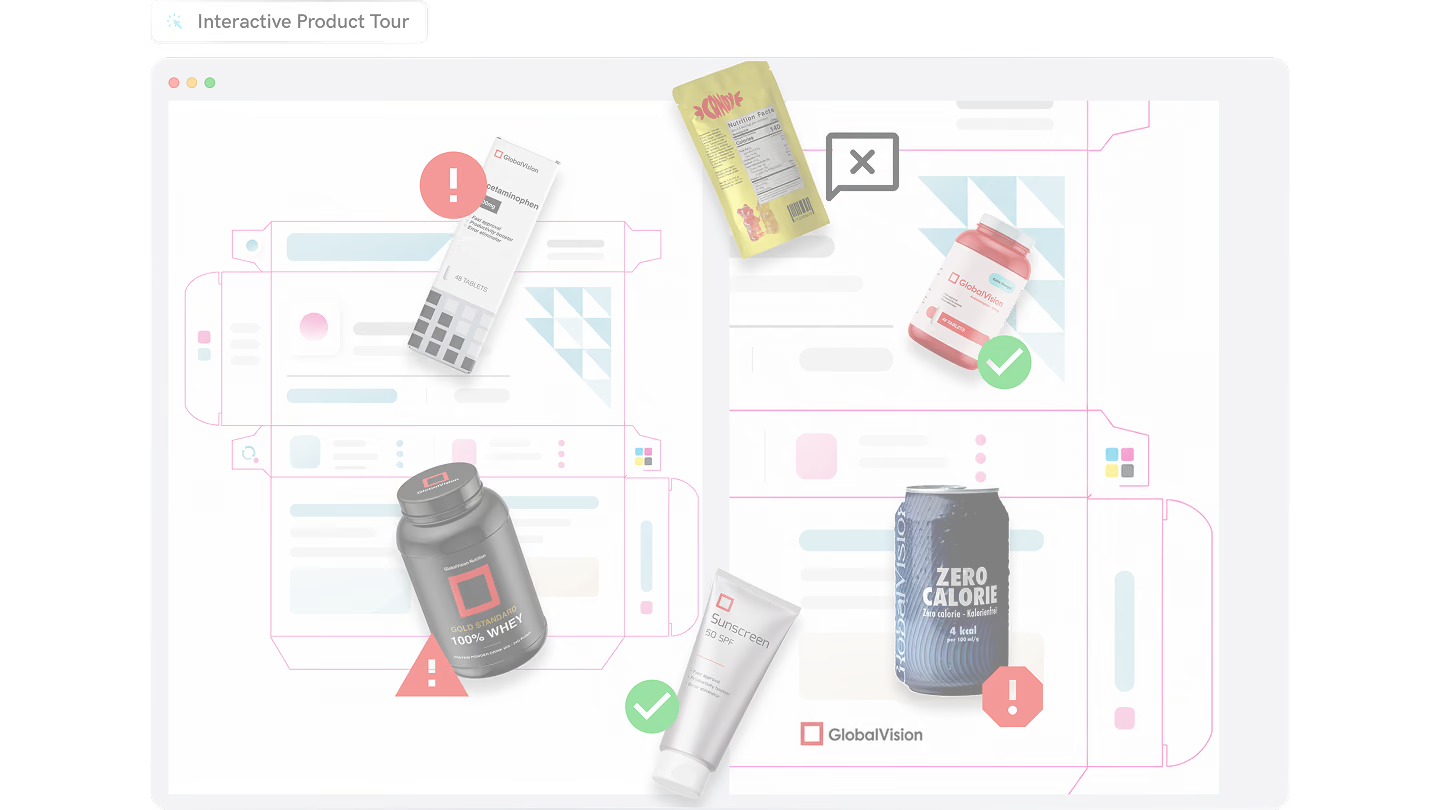
Product label inspection interface highlighting letter change, artwork defect, barcode grading, and braille inspection.

Proofreading Software Trusted Throughout The Artwork Lifecycle

Regulatory Affairs

Helping teams eliminate errors that occur between review cycles.
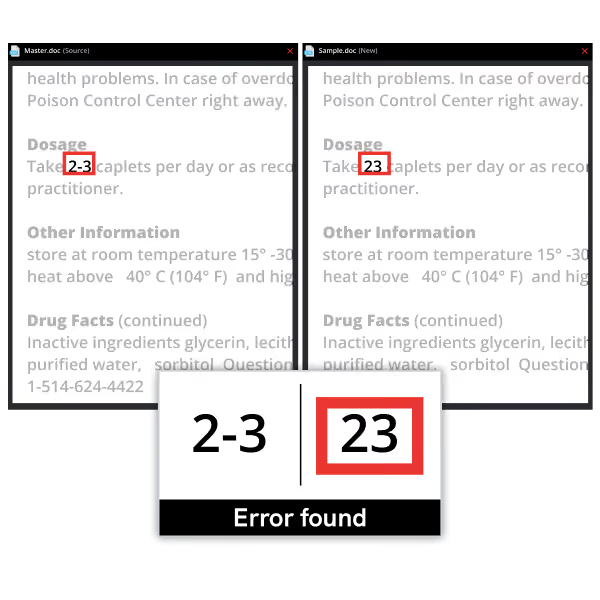
Comparison of dosage text showing error: 2-3 caplets versus incorrect 23 caplets highlighted in red.

Labeling

Automatically finding errors before labeling and packaging goes to print.
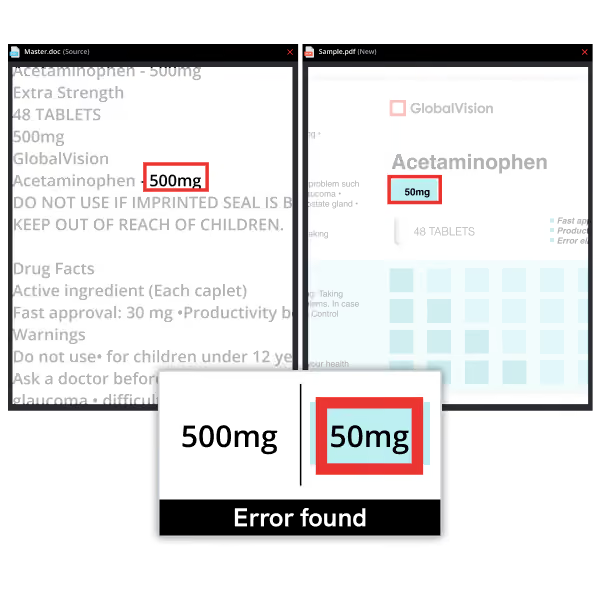
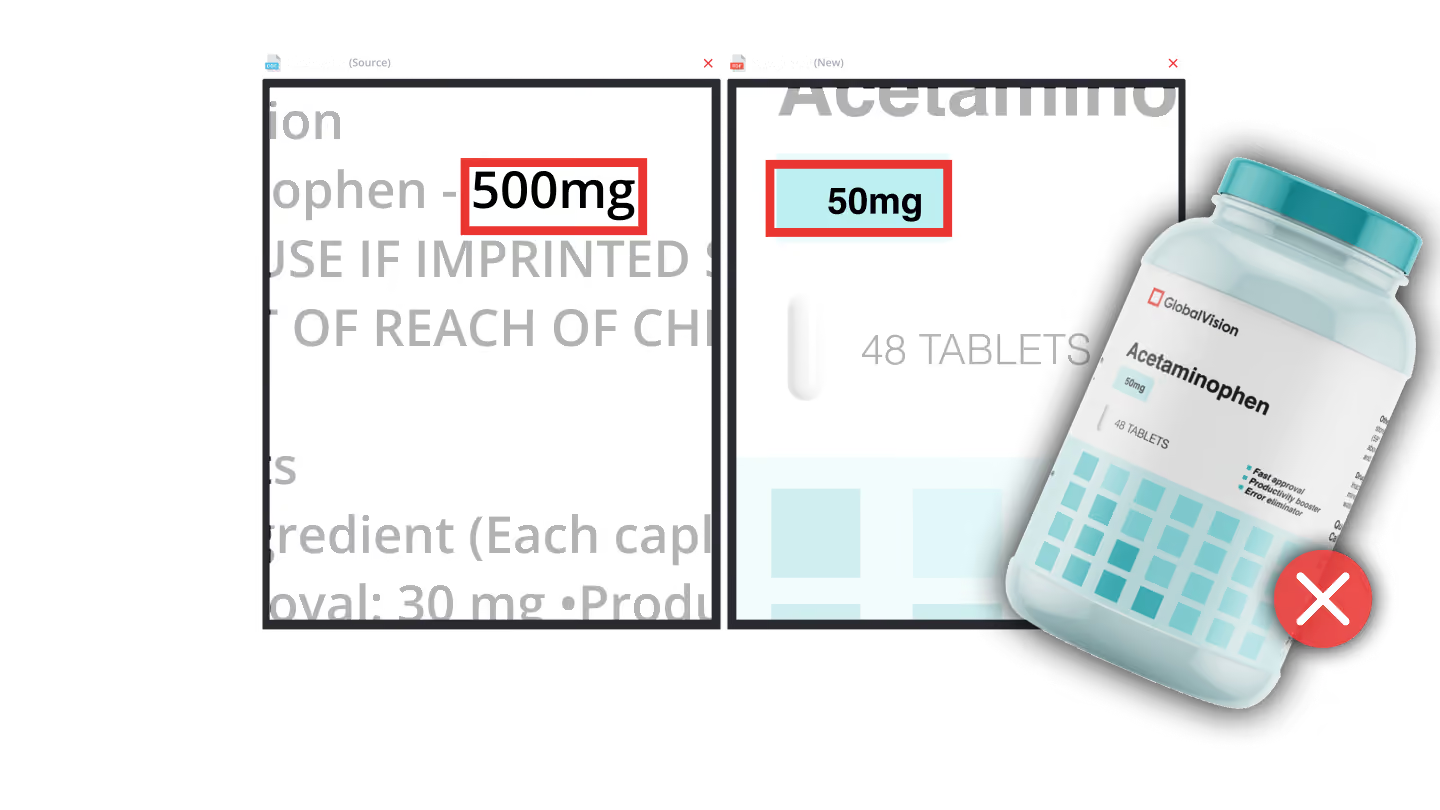
Comparison of text showing 500mg vs. 50mg dosage with red boxes highlighting the error found.

Promotional

Reducing the number of content revisions that are needed by catching errors quickly.
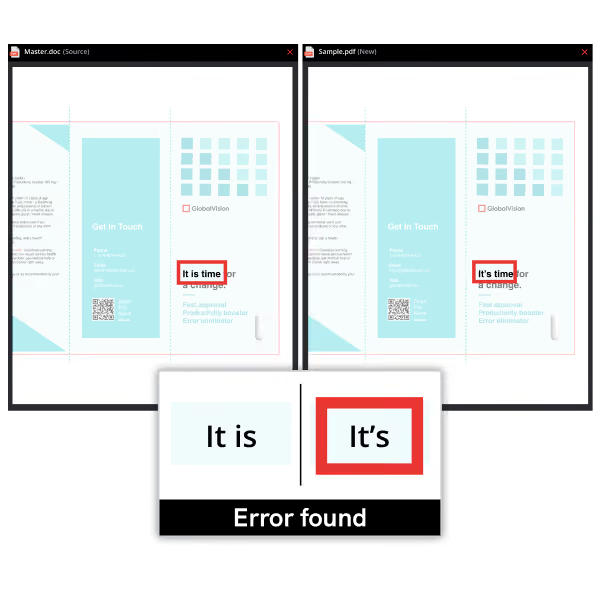
Comparison of 'It is' versus 'It’s' phrases with an error found highlighting the correct contraction 'It’s'.

Incoming QA

Maintaining compliance for supplier proofs and production files.
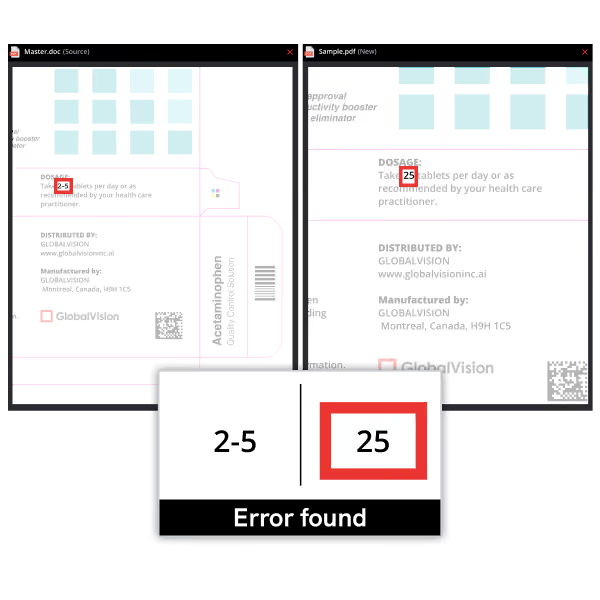
Comparison showing error detecting '2-5' as '25' on product labels with error message.

Prepress

Detecting every artwork error, every time, with pixel-for-pixel accuracy.
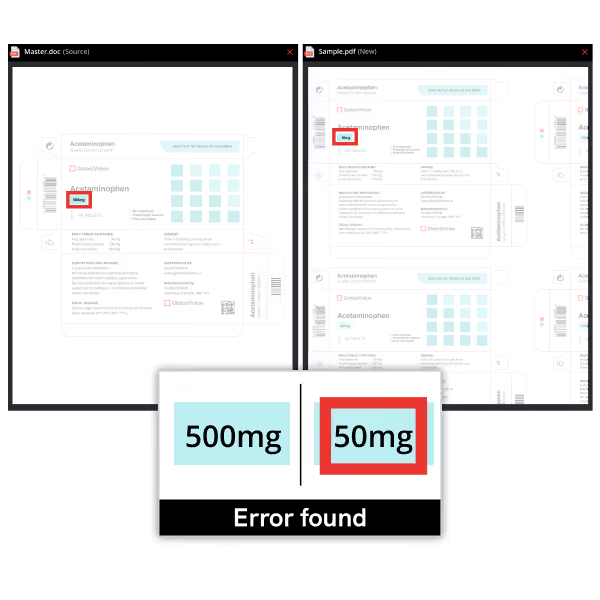
Comparison showing a 500mg label in a document and a 50mg label in a PDF with an error found highlight.

Production

Comparing production samples against approved digital files within seconds.
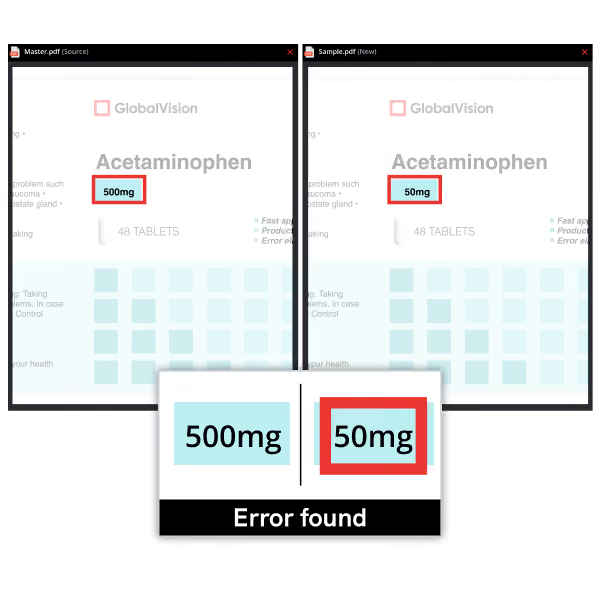
Side-by-side PDFs showing Acetaminophen label with 500mg and 50mg, highlighting a dosage error.

Proofreading Software Leading The Industry In Every Way

Icon of a red capital letter T with a ruler and measurement marks representing text inspection.

Text Compare: Find text errors including punctuation, font, color, missing words, and more.

Red square icon with a white magnifying glass and horizontal lines inside.

Graphics Compare: Check artwork files for inconsistencies with pixel-to-pixel accuracy.

Red A B C letters with a checkmark icon representing spelling inspection or correction.

Spell Check: With over 44 languages and the ability to consider custom dictionaries, find all errors with spell check.

Magnifying glass icon inspecting a barcode composed of black vertical bars on white background.

Barcode & QR Code: Instantly grade all barcodes for printed and digital assets according to CEN, ANSI, and ISO standards.

Icon of a barcode with a magnifying glass inspecting it.

Braille Inspection: Ensure every dot is printed correctly 10X faster with our solution.
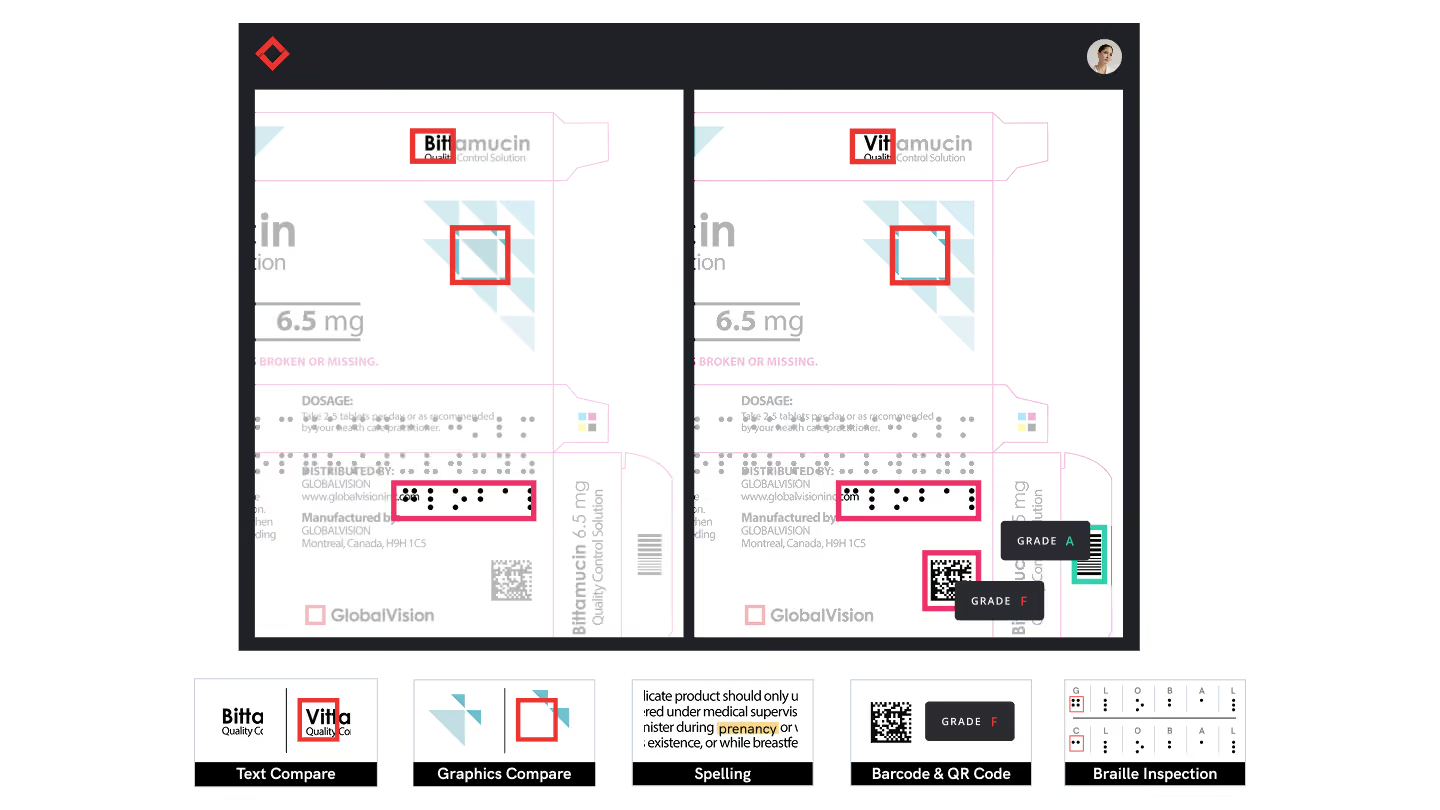
Side-by-side comparison of two drug labels showing text, graphics, spelling, barcode, and Braille inspection results.
Product Suite

Solutions For Every Team

Verify company logo with a red diamond-shaped icon and black text.

Inspect Digital Files With Verify

AI-Powered Proofreading for Regulated Industries

Popular Features

Red check mark icon with a thin outline on white background.

Text Compare

Red check mark icon with a thin outline on white background.

Pixel-To-Pixel Graphics Compare

Red check mark icon with a thin outline on white background.

Global Language Support

GVD company logo with abstract red geometric shape.

Inspect Printed Assets With GVD

Fast Quality Inspection System for Brands and Printers

Popular Features

Red check mark icon with a thin outline on white background.

Print Inspection

Red check mark icon with a thin outline on white background.

Pantone® Color Compare

Red check mark icon with a thin outline on white background.

Barcode and QR Code Inspection

Verifyapi logo with a stylized shield and a checkmark inside.

Automate Verify Checks In Any Workflow

Embed quality checks into any AMS or prepress platform.

Popular Features

Red check mark icon with a thin outline on white background.

Barcode & QR Inspection

Red check mark icon with a thin outline on white background.

Spell Check

Red check mark icon with a thin outline on white background.

Connect With Any System

Two overlapping red check marks arranged diagonally above black text.

Your AI Label Compliance Assistant

Automate regulatory and brand compliance with one tool

Popular Features

Red check mark icon with a thin outline on white background.

Built-in Context-Aware Intelligence

Red check mark icon with a thin outline on white background.

Central Hub for AI-Native Custom Rulebooks

Red check mark icon with a thin outline on white background.

Knowledge of All Market Regulations

“GlobalVision has been vital in artwork development as it helps pick up the tiniest of errors and differences both with text and graphics. It also saves so much time by not having to do manual proof-reading.”

Praenisha Ramnath

Inova Pharma
Logo of Inova Pharmaceuticals with "inova" in bold red and "pharmaceuticals" in black, emphasizing the brand's identity.
"Awesome piece of equipment, great customer service, and troubleshooting department. GlobalVision has helped our organization find errors in nutritional facts that are hard to see with the naked eye. It has also been used to verify splices to prevent mixed copy."

Tyler Lockwood

Quality Assurance Specialist – Fortis
Fortis logo
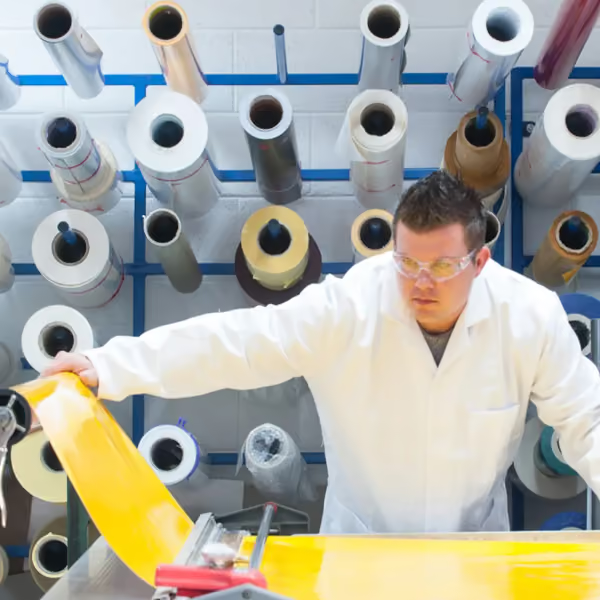
Person in white lab coat working with yellow film material near multiple large roll spools.
“We do consider GlobalVision a highly valuable, permanent partner for MCC.”

Joseph Maurer

MCC

Logo MMC Premium Label So;utions
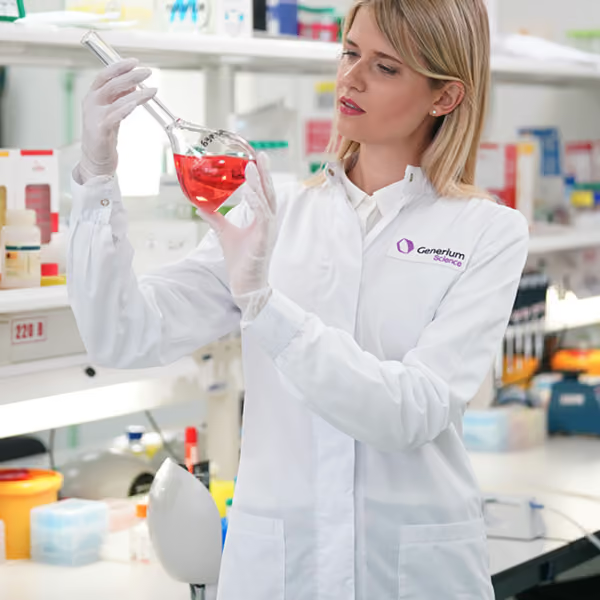
Female scientist in a lab coat examining a glass flask with red liquid in a laboratory.
“Even if you have a comma missing or something like that [the Regulatory Authority] ask us to repackage the product... So [GlobalVision] saves us a lot of headaches and we avoid the costs of recalls.”

Slava Krauklis


Generium

Logo Generium Pharmaceutical

Switching to GlobalVision Gets Results

Ready To Automate Reviews Of Digital and Printed Content?

50%

of pharma executives are accelerating the review process through automation

100%

accuracy in proofreading, according to a GlobalVision G2 Review

10x

faster than the average proofreading software

-50%

decrease in proofreading and review times, according to Pfizer

Ready To Automate Reviews Of Digital and Printed Content?