

You've mapped your bottlenecks. You've tightened your prepress workflow. Now comes the tool that ties it all together: printing workflow software.
It's the engine that moves files, automates checks, and keeps your packaging pipeline running, so nothing stalls, slips, or ships with an error.
For teams managing hundreds of SKUs and back-to-back launches, this software isn't a luxury. It's how you turn a fragile, manual process into a fast, reliable, repeatable one.
In this post, you'll learn exactly what printing workflow software does, the core functions that power it, and why it matters so much for high-volume CPG and prepress teams. We'll cover the pain points it solves and share best practices for smooth adoption.
What you'll take away:
- A clear definition of printing workflow software
- Its five core functions, explained simply
- The pain points it eliminates
- A practical framework for getting started
Let's dive in.
What Is Printing Workflow Software?
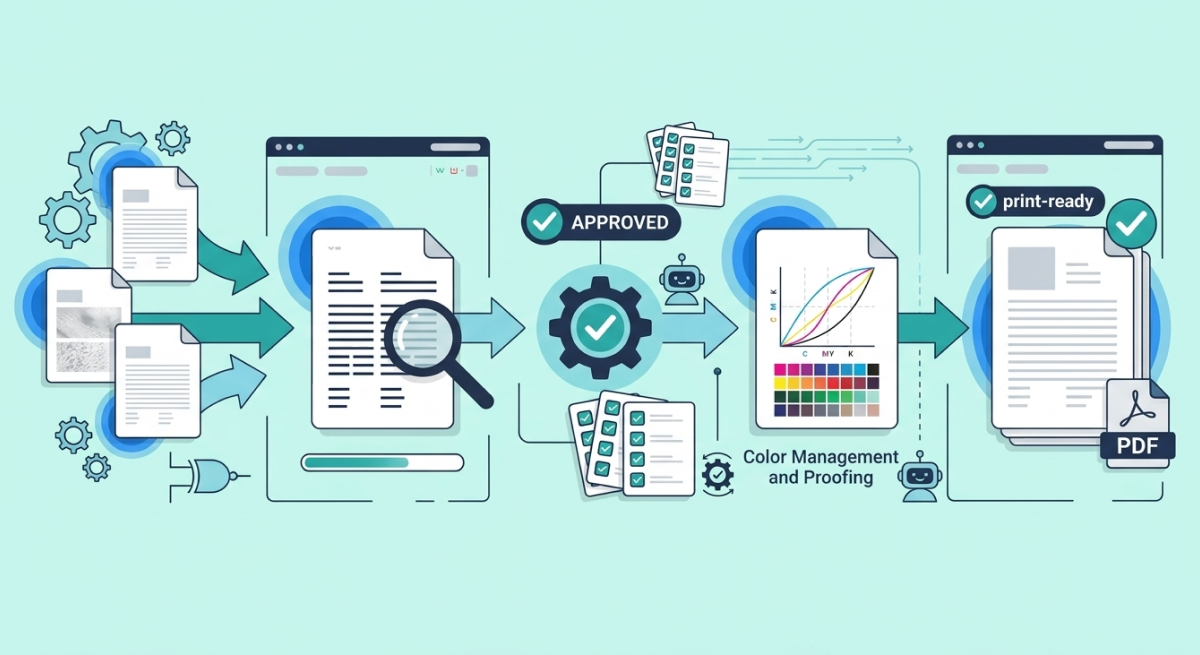
Printing workflow software is a platform that manages, automates, and connects every step of your print and packaging production process, from file intake to press-ready output.
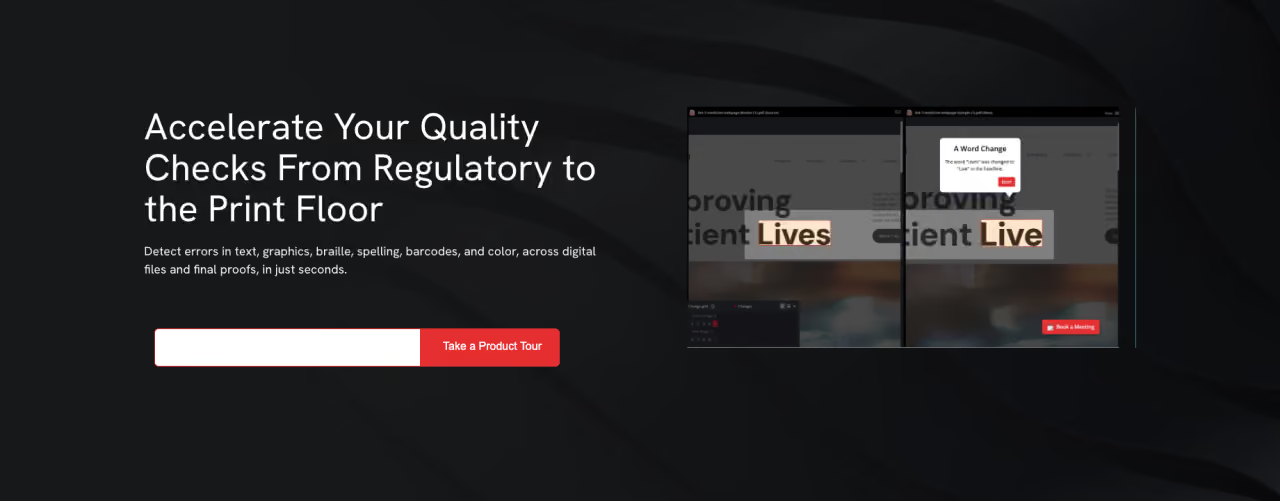
Instead of shuffling files through email, chasing approvals, and checking artwork by hand, you get one connected system. It routes files automatically, runs quality checks, tracks approvals, and hands off press-ready output without the manual scramble.
Think of it as the control center for your entire packaging pipeline. Every file, every check, every approval flows through it, organized, tracked, and visible.
Key takeaway: Printing workflow software replaces scattered manual steps with one automated, connected system that keeps production moving.
The Core Functions of Printing Workflow Software
Great printing workflow software does five things exceptionally well. Together, they transform how your packaging moves from design to press.
1. Automated file routing
Files don't sit and wait. The software moves each one to the right person, the right check, and the right next step, automatically.
When artwork enters the pipeline, the system knows where it goes and what happens next. No more files buried in an inbox. No more "who has this now?" That single change eliminates one of the biggest sources of delay in packaging production.
2. Workflow automation
Repetitive tasks disappear into the background. The software handles file prep, format checks, and stage-to-stage handoffs so your team focuses on decisions, not busywork.
Automation applies the same steps the same way, every time. That consistency is exactly what high-SKU environments need, one file or ten thousand, the process never wavers.
3. Approval management
Approvals are where packaging stalls most. Printing workflow software fixes that by centralizing every sign-off in one place.
- Reviewers see exactly what needs their attention and when
- Every approval is documented and traceable
- A verbal "looks good" becomes a formal, recorded sign-off
The result: no more approvals scattered across email, chat, and hallway conversations. You always know where a file sits and who holds it.
4. Automated quality checks
This is where the software protects your brand. Built-in inspection catches errors before files ever reach the press.
- Automated proofreading of text, spelling, and copy across every language you sell in
- Artwork comparison against an approved master file
- Barcode and 1D/2D code verification so scans never fail at retail
- Braille inspection for accessibility compliance
- Color consistency checks across batches and runs
Each check runs in seconds with a precision no tired reviewer can match. That's how you catch a misplaced decimal on a nutrition panel, before it becomes a recall.
5. Integration with prepress tools
Printing workflow software strengthens your existing setup instead of replacing it. The best platforms integrate directly with the prepress tools your team already relies on.
That means quality checks and automation embed right into your current workflow. No rebuild. No disruption. Just smoother handoffs and faster turnaround inside the tools you already trust.
Key takeaway: Routing, automation, approvals, quality checks, and integration work together to make your packaging pipeline fast, accurate, and consistent.
Why Printing Workflow Software Matters for High-SKU Teams
So why does this software deserve your attention right now? Because the demands on packaging teams have outgrown what manual processes can handle. Here's where the payoff lands.
Faster time to market
Automated routing and checks shave minutes to hours off every label review. Multiply that across hundreds of SKUs and you reclaim entire days, getting products to shelf ahead of tight launch windows.
Fewer errors, fewer reprints
By catching discrepancies before press, the software slashes reprint rates. Every reprint you avoid saves materials, labor, and press time, a direct win where waste adds up fast.
Consistent quality at scale
Whether you're checking one file or ten thousand, the software applies the same standard every time. As your product line grows and you enter new markets, quality stays locked in.
Confident compliance
Automated verification of barcodes, braille, mandatory copy, and multi-language text means compliance risks get caught early. That dramatically lowers your odds of a costly recall or regulatory violation.
Key takeaway: Printing workflow software delivers speed, accuracy, cost savings, and compliance, exactly what fast-moving CPG and prepress teams need most.
Common Pain Points It Solves
Let's get concrete. Here are the everyday frustrations printing workflow software eliminates.
- "Where is this file?" Automated routing and real-time visibility mean you always know a file's exact status.
- Approval bottlenecks. Centralized sign-offs clear the jams that push launches off schedule.
- Version confusion. Anchoring every check to an approved master file stops outdated artwork from reaching press.
- Manual proofreading fatigue. Automated inspection checks the 400th label as sharply as the first.
- Disconnected tools. Integration with prepress platforms removes the friction of jumping between systems.
- Last-minute compliance scrambles. Built-in verification catches barcode, braille, and copy issues before they become violations.
Common mistake to avoid: Treating the software as a final checkpoint only. Embed it at every stage, intake, revision, proofing, so errors get caught where they start, not after they've traveled downstream.
Best Practices for Adopting Printing Workflow Software
Ready to bring printing workflow software into your process? This framework delivers the biggest gains fast.
- Map your current workflow. Pinpoint where files stall, where errors creep in, and where handoffs break down. That's your roadmap.
- Prioritize high-risk checks first. Start with proofreading, barcodes, color, and compliance copy, the errors that cost the most.
- Integrate, don't isolate. Connect the software to your existing prepress tools so adoption feels seamless and your team keeps working where they're comfortable.
- Standardize company-wide. Apply the same automated checks across every team and site so quality stays consistent everywhere.
- Onboard your team. Even intuitive systems benefit from quick training. When your people trust the results, adoption sticks.
- Track your results. Measure reduced reprints, faster approvals, and lower error rates to prove ROI and keep refining.
Key takeaway: Start where the pain is greatest, integrate with what you already use, and standardize across teams to unlock the full value.
Printing Workflow Software: The Bottom Line
Printing workflow software is the engine that keeps modern packaging production moving. It routes files automatically, automates repetitive tasks, centralizes approvals, runs airtight quality checks, and integrates directly with the prepress tools you already use.
For teams juggling high SKU counts and tight deadlines, the payoff is clear: faster launches, fewer reprints, consistent quality, and confident compliance across every market and language.
Start by mapping your current workflow and finding the one place files stall or errors slip through most. That's your highest-value target—and your first step toward packaging you can trust, every single run.
Frequently Asked Questions