

Every reprint costs you money, time, and trust. When a label ships with the wrong ingredient list or a barcode that won't scan, the fallout ripples across launches, markets, and shelves. That's exactly where print automation earns its keep.
In this post, you'll learn what print automation is, how it works across packaging and print environments, and why it's become essential for teams managing high SKU counts and tight deadlines. We'll cover the core benefits, the reasons it matters right now, and how to put it to work.
Let's break it down!
What Is Print Automation?
Print automation uses software to handle repetitive, error-prone tasks across the print and packaging production process, so people don't have to do them manually.
Instead of manually checking artwork, comparing files, or routing approvals, automation systems do the heavy lifting. They detect errors, standardize quality checks, and move files through your workflow with speed and precision.
Think of it as a tireless quality inspector embedded in your process. It checks every file, flags every discrepancy, and keeps production moving without adding headcount.
The Tasks Print Automation Handles
Print automation covers far more than pressing "print." In modern packaging environments, it typically includes:
- Automated proofreading of text, spelling, and copy across languages
- Artwork and graphic comparison between revisions
- Barcode and 1D/2D code verification
- Braille inspection for compliance
- Color consistency checks across batches and runs
- File routing and approval workflows
The "so what" here is simple: each of these tasks is a common source of costly errors when done manually. Automating them removes the guesswork.
How Print Automation Works in Packaging and Print
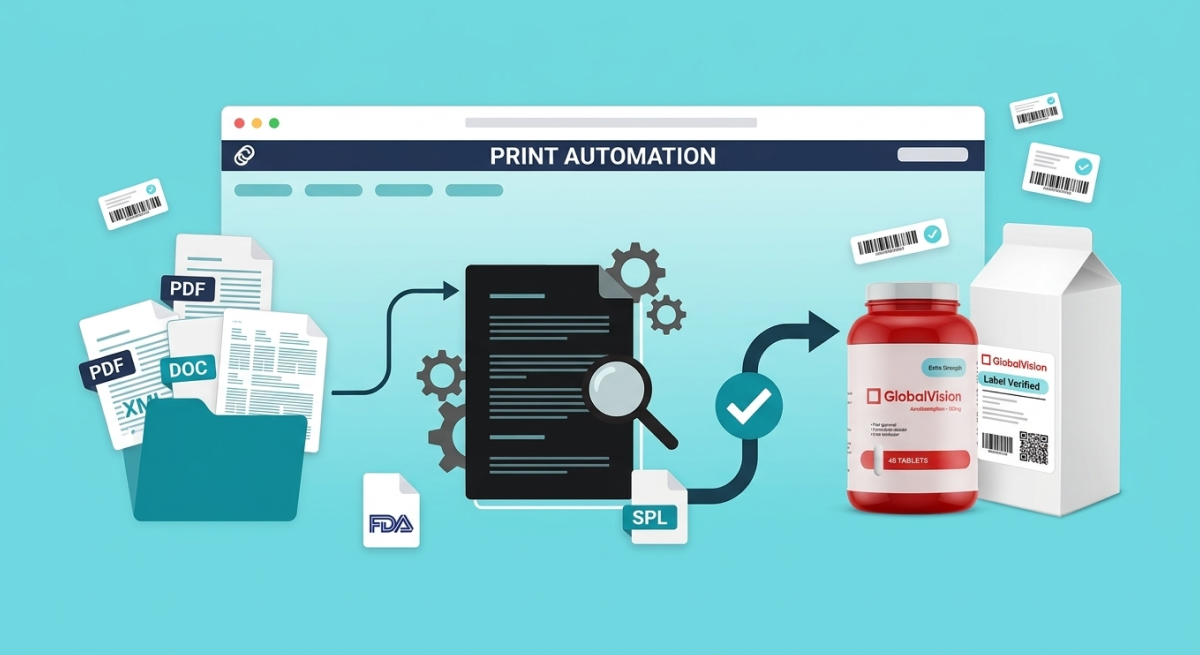
Print automation doesn't replace your workflow; it strengthens it. The best systems plug directly into the tools your team already uses, from prepress platforms to QC systems.
Here's how it typically flows.
1. File intake and preparation
Once a design or updated label enters the pipeline, automation tools prepare the file for production. They confirm formats, layers, and specs so nothing breaks downstream.
2. Automated inspection
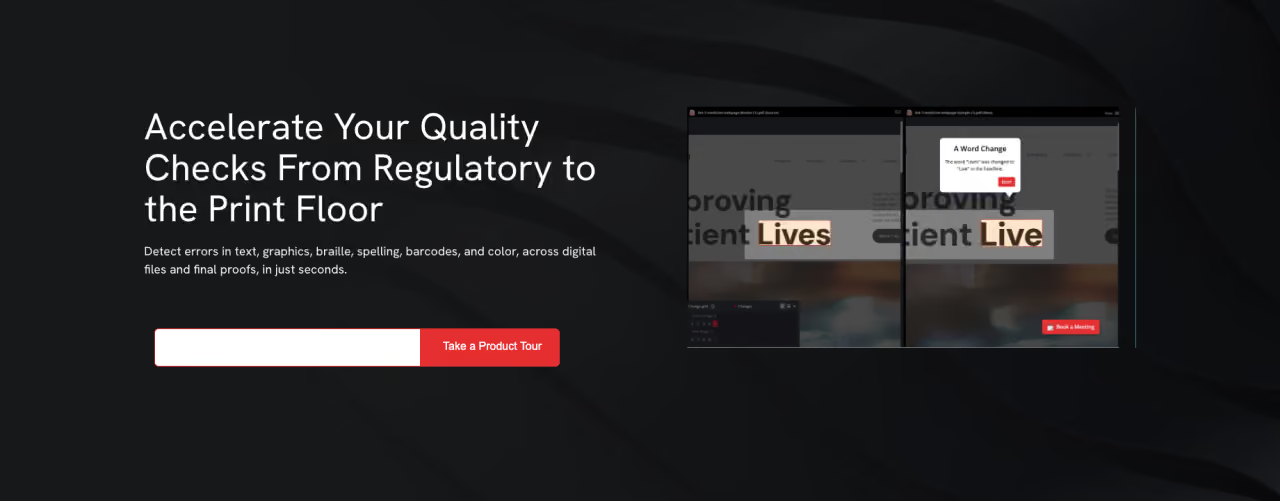
Next, the system compares the new file against an approved master or a previous version. It scans for text changes, graphic shifts, color deviations, and code errors, catching differences the human eye misses after a long day.
For example, a single misplaced decimal on a nutrition panel can trigger a recall. Automated inspection catches that discrepancy in seconds.
3. Real-time error alerts
When something's off, the system flags it immediately. Your team gets a clear report showing exactly what changed and where, so fixes happen fast.
4. Approval and release
Once files pass inspection, they move through approval and print; press-ready and verified. No bottlenecks. No last-minute scrambles.
The result is a repeatable, standardized process that produces consistent output every single time.
Key Benefits of Print Automation
So why does print automation matter to teams juggling frequent label updates and global launches? The payoff shows up in four big ways.
Speed to Market
Manual proofreading eats hours. Automated checks run in seconds, shaving at least 10 to 15 minutes off every label review. Multiply that across hundreds of SKUs and you reclaim entire days, getting products to shelf faster.
Accuracy and Error Reduction
Humans get tired. Software doesn't. Print automation catches spelling mistakes, mismatched artwork, and scanning failures with a consistency no manual review can match. Fewer errors means fewer surprises after a print run.
Fewer Reprints and Lower Costs
Every reprint burns materials, labor, and press time. By catching errors before files go to press, print automation slashes reprint rates and protects your budget. A direct win in high-volume environments where waste adds up fast.
Scalability
As your product line grows and you expand into new markets, manual review simply can't keep pace. Automation scales effortlessly, checking one file or ten thousand with the same accuracy and speed.
Takeaway: Print automation delivers speed, accuracy, cost savings, and scale; the exact things fast-moving packaging teams need most.
Why Print Automation Matters Now
Automation has been around for years, so why the urgency today? A few forces have raised the stakes.
- SKU explosion: Product portfolios keep growing, with more variants, sizes, and market-specific labels than ever. Manual review can't keep up.
- Tighter timelines: Launch windows are shrinking, and delays cost shelf space and sales.
- Rising regulatory pressure: Compliance requirements shift constantly across regions and languages. One missed update can mean a violation or recall.
- Global reach: Multi-language, multi-market packaging multiplies the chances for error; and the cost of getting it wrong.
Put simply, the volume and complexity of modern packaging have outgrown what manual processes can handle. Print automation closes that gap.
Common Mistakes to Avoid
Even great tools underperform when used poorly. Watch for these pitfalls as you adopt tools for print automation:
- Treating it as a one-time check. Embed automation at every stage, not just the final proof.
- Skipping integration. A standalone tool creates friction. Connect automation to your existing prepress and QC systems for a smooth workflow.
- Ignoring the master file. Automated comparison is only as reliable as your approved reference. Keep master files accurate and current.
- Overlooking training. Even intuitive systems benefit from quick onboarding so your team trusts the results.
Avoid these, and you'll get the full value automation promises.
Best Practices for Getting Started
Ready to build automation into your process? Keep this simple framework in mind:
- Map your workflow to spot where manual errors and delays happen most.
- Prioritize high-risk checks like proofreading, barcodes, and color first.
- Integrate with existing tools to avoid disruption and speed adoption.
- Standardize your checks company-wide so quality stays consistent across teams and sites.
- Track results, reduced reprints, faster approvals, fewer errors; to prove ROI and refine over time.
Print Automation: The Bottom Line
Print automation transforms error-prone manual work into a fast, accurate, and repeatable process. It speeds products to market, cuts reprints, ensures compliance across languages and regions, and scales with your growing SKU count. As packaging complexity climbs, automation is no longer a nice-to-have; it's how modern teams stay ahead.
Start by reviewing your current workflow and pinpointing where errors and delays slow you down. That's your first, most valuable target for automation.
Where would automating your quality checks free up the most time for your team?
Frequently Asked Questions