

In der Druck- und Verpackungsindustrie, Bestimmte Qualitätsprobleme in der Druckvorstufe gibt es schon so lange, dass sie sich wie ein normaler Teil der Arbeit anfühlen.
Du kennst die. Die zeitaufwändige manuelle Prüfungen, die frustrierenden Fehler in letzter Minute und das endlose Hin und Her mit Kunden. Wir akzeptieren diese Probleme oft als Geschäftskosten. Aber was wäre, wenn sie es nicht sein müssten?
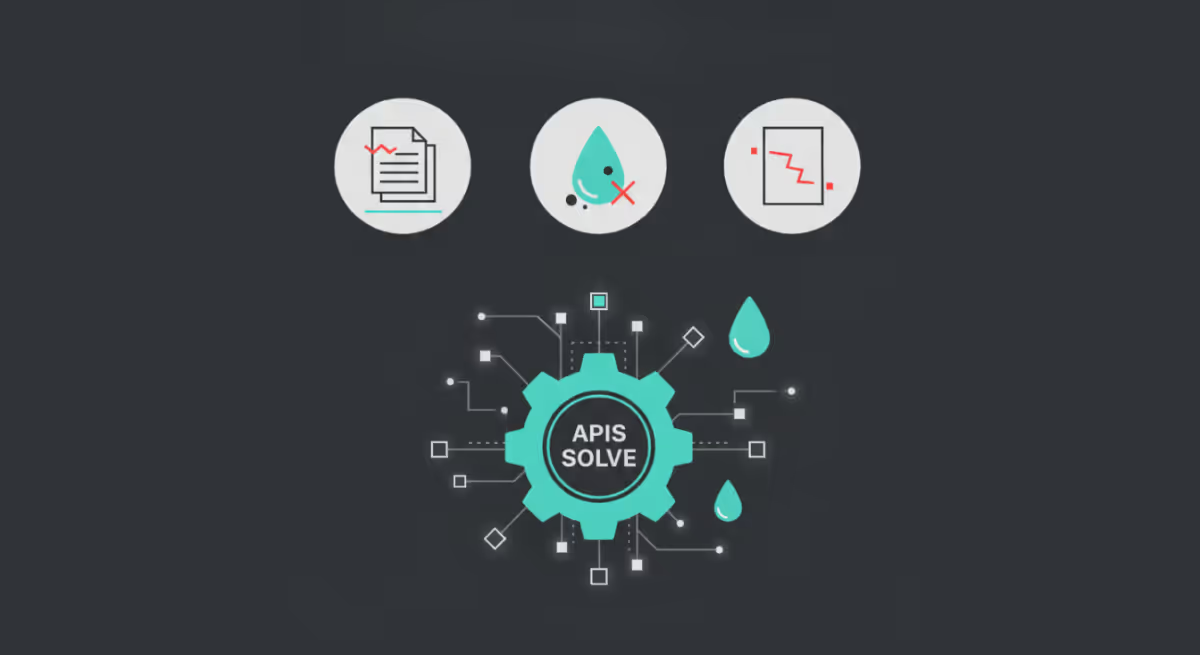
Die Lösung liegt in einem leistungsstarken Tool, das Sie möglicherweise nicht vollständig für Ihr Unternehmen in Betracht gezogen haben Druckvorstufen-Workflow: Automatisierung über eine API. Eine Anwendungsprogrammierschnittstelle (API) ermöglicht es verschiedenen Softwaresystemen, nahtlos zu kommunizieren und Daten auszutauschen.
Für die Druckvorstufe bedeutet dies, Ihre Workflow-Tools miteinander zu verbinden, um Aufgaben zu automatisieren, die früher mühsam und anfällig für menschliche Fehler waren.
Lassen Sie uns drei gängige untersuchen Qualität der Druckvorstufe Probleme, die Sie wahrscheinlich als normal akzeptiert haben und sehen Sie, wie ein API-gesteuerte Automatisierung Ein Ansatz kann sie endgültig lösen.
1. Der endlose Zyklus manueller Dateiprüfungen
Wie viel Zeit verbringt Ihr Team damit, jede einzelne eingehende Datei manuell zu überprüfen?
Sie suchen nach korrekten Farbprofilen, fangend, bluten, Bildauflösung und ein Dutzend anderer technischer Details. Dieser Prozess ist nicht nur langsam, sondern auch sehr anfällig für menschliches Versagen. Ein einziges fehlendes Detail kann zu kostspieligen Nachdrucken führen und das Vertrauen der Kunden schädigen. Dieser manuelle Prozess war lange Zeit ein Engpass bei der effizienten Qualitätskontrolle in Druck und Verpackung.
Wie Automation — API das Problem löst
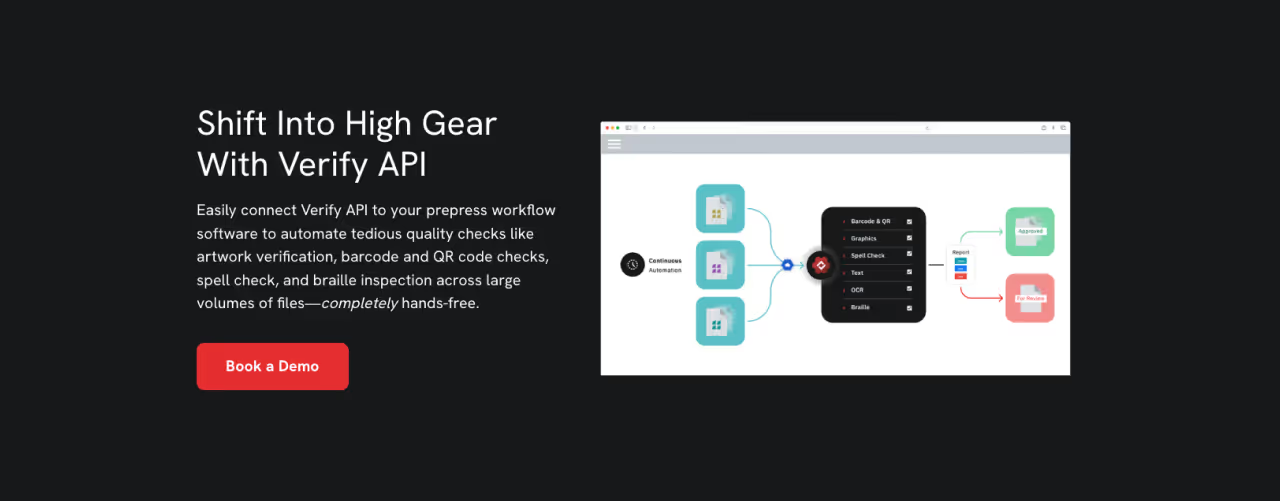
Implementierung einer API für die Qualitätsautomatisierung in der Druckvorstufe transformiert diesen gesamten Prozess. Anstatt dass eine Person jede Datei öffnet, kann eine API Ihr Portal für die Einreichung von Stellenangeboten direkt mit einem automatisierten QS-System verbinden.
Wenn eine Datei hochgeladen wird, löst die API eine Reihe vordefinierter Qualitätsprüfungen aus. Das System kann die Datei sofort anhand Ihrer spezifischen Druckstandards analysieren. Probleme wie Bilder mit niedriger Auflösung, falsche Volltonfarben, fehlende Schriften oder unzureichender Beschnitt können innerhalb von Sekunden erkannt werden.
Das automatisierte Qualitätskontrolle bietet sofortiges Feedback, sodass Kunden Probleme beheben können, bevor die Datei Ihr Druckvorstufenteam erreicht. Diese Umstellung führt zu einem Maß an Effizienz und Genauigkeit, das manuelle Prüfungen einfach nicht erreichen können.
2. Inkonsistente Qualitätskontrolle bei allen Aufträgen und Bedienern
Jeder Druckvorstufen-Operator hat seine eigene Methode. Zwar sind alle Experten, aber subtile Unterschiede in der Art und Weise, wie sie Qualitätsprüfungen durchführen, können zu inkonsistenten Ergebnissen führen. Ein Bediener ist möglicherweise sehr darauf bedacht, Toleranzen einzufangen, während ein anderer sich mehr auf die Farbgenauigkeit konzentriert.
Diese Variabilität kann zu Unvorhersehbarkeit führen Qualität der Druckvorstufe, was sowohl Ihrem Team als auch Ihren Kunden Kopfschmerzen bereitet. Die Aufrechterhaltung eines konsistenten Standards für die Qualitätskontrolle ist eine große Herausforderung, wenn der Prozess ausschließlich auf manuellen Eingriffen beruht.
Wie Automation — API das Problem löst
Ein API-gesteuerter Druckvorstufen-Workflow sorgt für Konsistenz, indem er Ihre Qualitätsprüfungen standardisiert.
Sie können Ihre automatisierten QA-Regeln einmal konfigurieren und so sicherstellen, dass jede Datei jedes Mal anhand exakt derselben Kriterien bewertet wird. Es spielt keine Rolle, wer in der Schicht ist oder wie beschäftigt der Tag ist; der Standard für Qualität der Druckvorstufe bleibt unerschütterlich.
Durch die Verwendung eines Automatisierungs-API-Ansatzes schaffen Sie eine einzige Informationsquelle für Ihre Qualitätsstandards. Diese automatisierte Qualitätskontrolle stellt sicher, dass unabhängig davon, ob es sich um den ersten Auftrag des Tages oder den letzten Auftrag an einem Freitagnachmittag handelt, der Grad der Prüfung identisch ist.
Diese Konsistenz sorgt für einen guten Ruf in Sachen Zuverlässigkeit und verbessert die allgemeine Qualitätskontrolle in Ihrem Unternehmen erheblich. Druck- und Verpackungsarbeiten.
3. Das schwarze Loch der Dateiabweisung in der Kommunikation
Was passiert als Nächstes, wenn eine Datei eine Qualitätsprüfung nicht besteht?
Oft handelt es sich dabei um eine vage E-Mail an den Kunden, in der es heißt: „Ihre Datei hat ein Problem.“ Der Kunde muss raten, was falsch ist, was zu einer frustrierenden Reihe von E-Mails und Telefonanrufen führt.
Diese Kommunikationslücke verlangsamt den gesamten Arbeitsablauf in der Druckvorstufe, sorgt für Reibung und verzögert die Produktion. Dieser Mangel an klarem, umsetzbarem Feedback ist eine Hauptursache für Ineffizienz.
Wie Automation — API das Problem löst
Hier ist eine API für Qualitätsautomatisierung in reder Druckvorstufe glänzt wirklich. Wenn ein automatisiertes QA-System einen Fehler feststellt, kann die API einen detaillierten, leicht verständlichen Bericht direkt an den Kunden zurücksenden.
Statt einer generischen Ablehnung erhält der Kunde konkretes Feedback. Beispielsweise könnte der Bericht genau das Bild hervorheben, das eine niedrige Auflösung hat, oder die Textelemente mit fehlenden Schriften identifizieren.
Einige fortgeschrittene Systeme können sogar eine visuelle Vorschau der korrigierten Datei anzeigen.
Dieses Maß an klarer, sofortiger Kommunikation ermöglicht es Kunden, ihre eigenen Dateien schnell zu korrigieren und sie erneut korrekt einzureichen. Ein Automatisierungs-API-Ansatz verwandelt einen Moment der Frustration in eine konstruktive, effiziente Interaktion und optimiert so Ihren gesamten Druckvorstufen-Workflow.
Mit einer API über das „Normale“ hinausgehen
Das Qualität der Druckvorstufe Probleme, die wir besprochen haben, müssen kein normaler Bestandteil Ihrer täglichen Arbeit sein.
Der Kreislauf manueller Prüfungen, inkonsistenter Standards und schlechter Kommunikation kann durchbrochen werden. Durch die Integration einer Automatisierung - API In Ihren Druckvorstufen-Workflow können Sie ein neues Maß an Effizienz, Konsistenz und Klarheit einführen.
Durch die Einführung dieser Technologie kann Ihr kompetentes Team seinen Fokus von sich wiederholenden, manuellen Aufgaben auf strategischere, wertschöpfende Aktivitäten verlagern. Sie können die Qualität der Druckvorstufe verbessern, Fehler reduzieren und die Kundenbeziehungen stärken — all das, indem Sie die Qualitätskontrolle automatisieren, die Sie früher ausgebremst hat.
Es ist an der Zeit, neu zu definieren, was für Ihren Druckvorstufen-Workflow „normal“ ist.
Sind Sie bereit, Ihre Abläufe zu optimieren? Erfahren Sie, wie Die Verify-API von GlobalVision kann Ihren Druckvorstufen-Workflow noch heute verändern.